
Defining Use for Products in an Application
User Roles
- Read-only
- Administrator
Overview
One of the factors in determining the hazard and risk level of a chemical is its usage. Related information may be indicated in the Define use section of an application. It’s generally divided into two: Define use and PPE. There may be additional sections in your application form depending on how it’s set up.
This article covers how you can fill out the standard Define use and PPE sections.
How to
Define use
In the Define use section, information for each product added to the application must be provided. Follow the steps below.
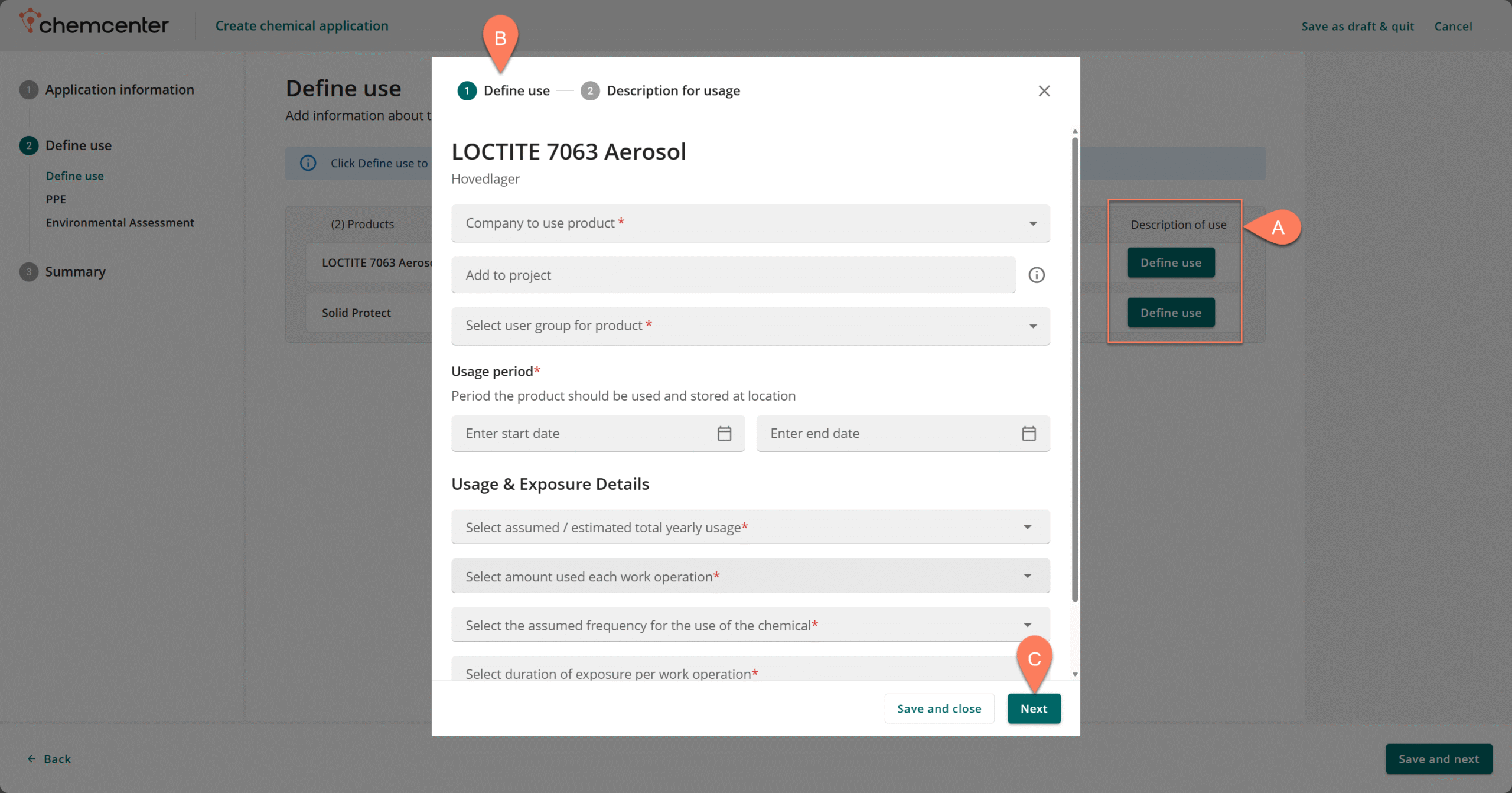
- Under the Description of use column, click the A Define use button for the product.
- In the pop-up window, fill out all the details in the B Define use section.
- Refer to the Basic Controls article for guidance on how to fill out each field.
- Once all the details have been filled out, click the C Next button.
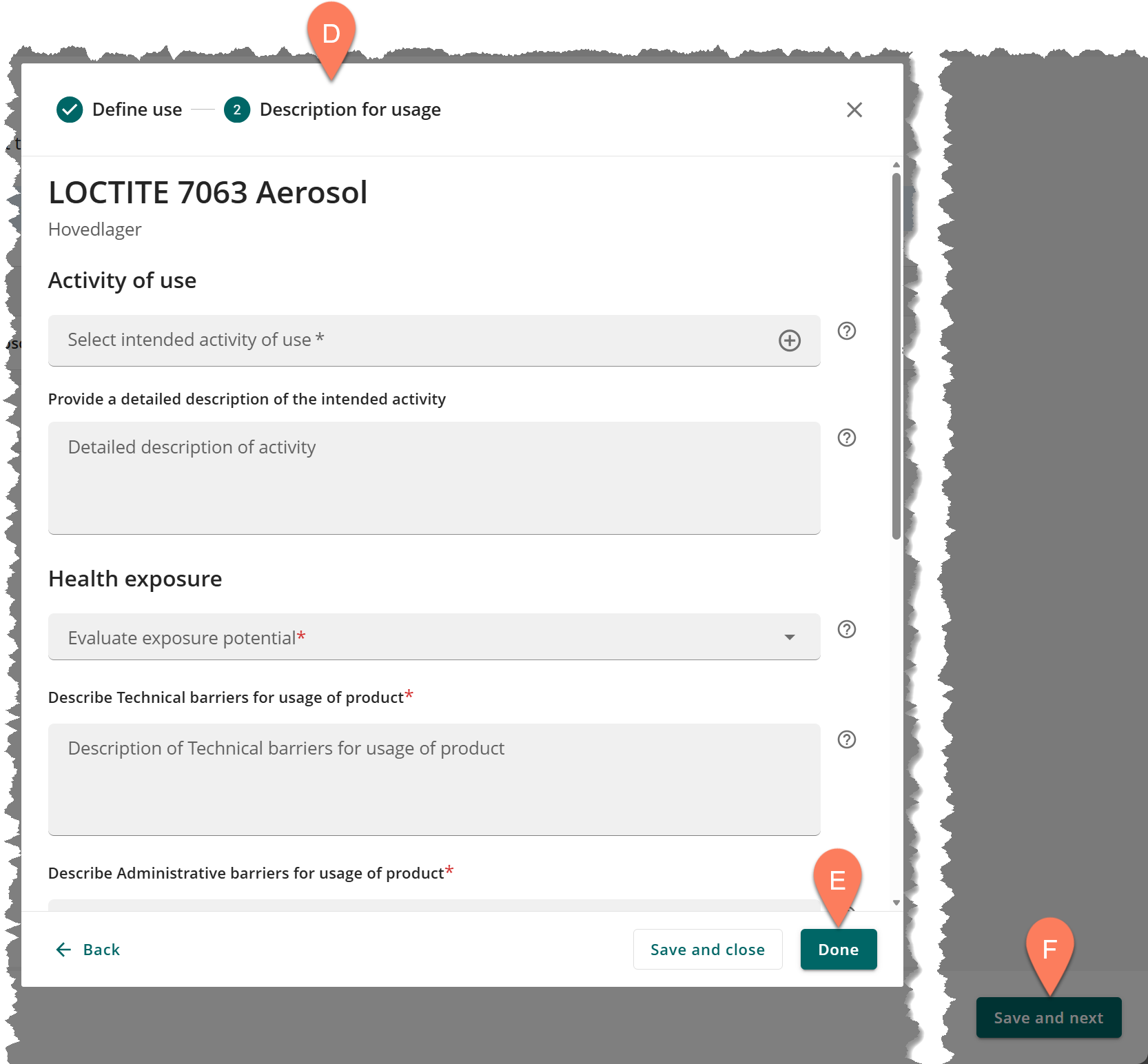
- Fill out all the details in the D Description for usage section then click the E Done button.
- Repeat the steps above for all of the products in the application.
- After providing the information for all the products, click the F Save and next button.
A Start Date is required for the Usage period. However, the End Date may be left blank for an open-ended usage period.
Specify PPE
The personal protective equipment (PPE) required when handling and using the chemical must be specified for each location where the product is assigned. The PPE indicated in this section is not final, the assessor of the application may indicate a different PPE if applicable.
Follow the steps below.

The PPE register is created and maintained by administrators in your organization.
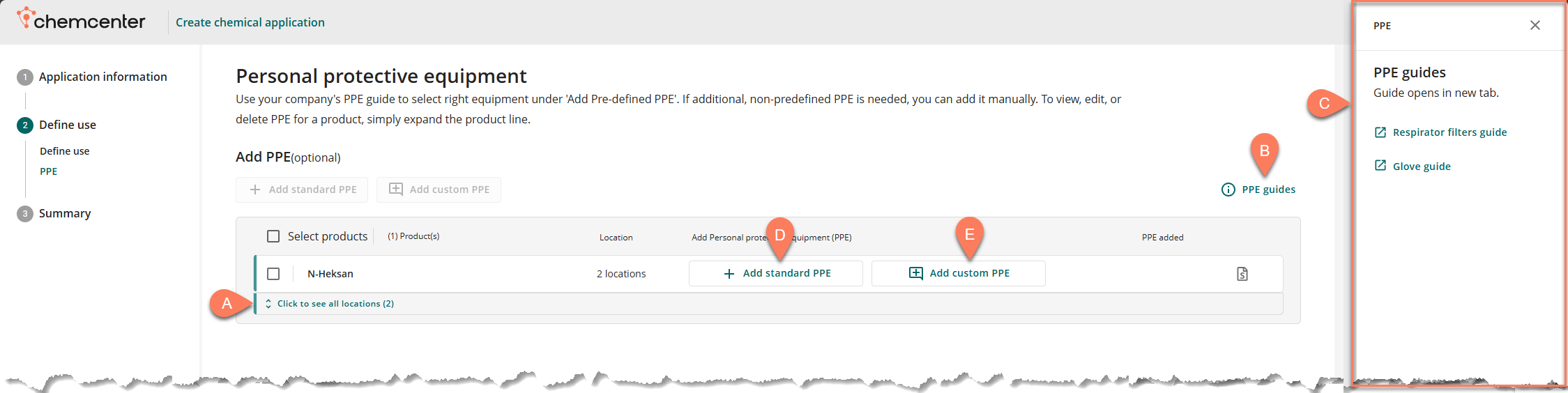
- Use the A Click to see all locations button to show all locations where a product is assigned.
- Skip this step if the required PPE is the same for all locations.
- Click the B PPE guides button for information on the types of PPE. The C PPE pane will appear on the right-hand side of the screen with links to the Respirator filters guide and Glove guide.
- You can either D Add standard PPE or E Add custom PPE.
- Standard PPE items are custom-defined by your organization.
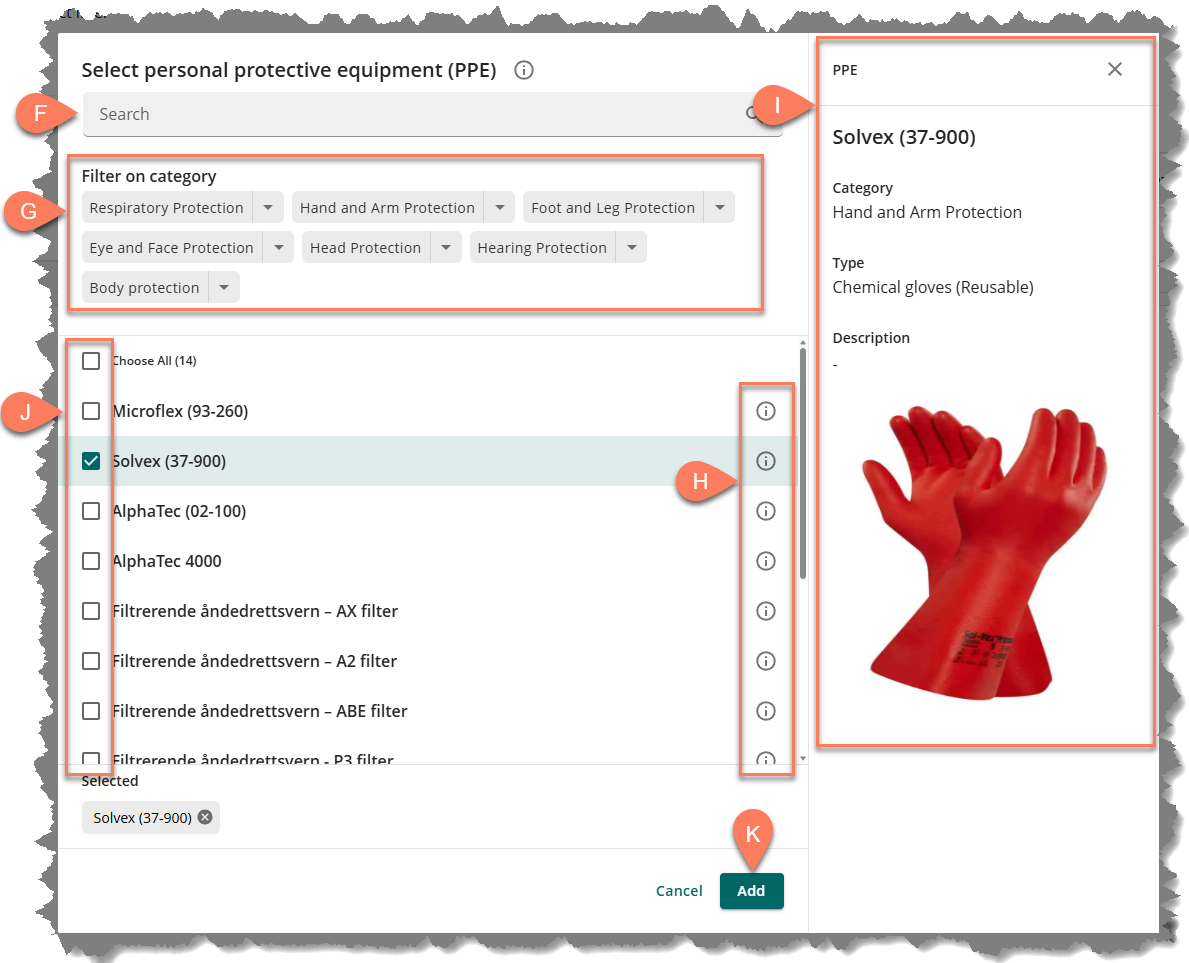
- In the Select personal protective equipment (PPE) window, use the F filter options or the G search box to quickly find the appropriate PPE.
- If you’re adding standard PPE, clicking the H information button will display the details and image of the I PPE on the right-hand side of the window.
- Click the J PPE’s checkbox to select it.
- Multiple PPEs may be selected at a time.
- Click the K Add button.
Define Environmental Risk
Description currently unavailable.